
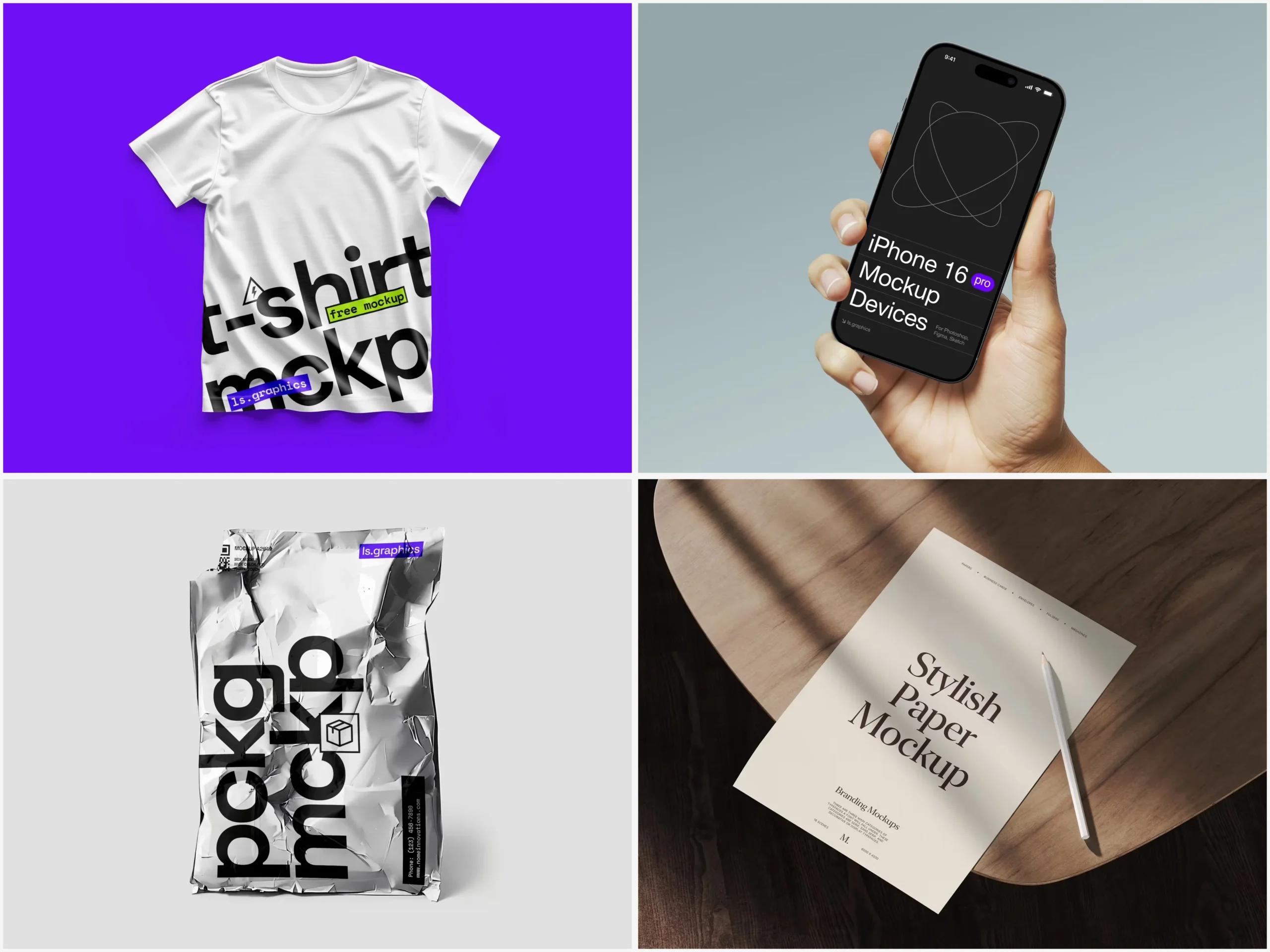
You’ve spent weeks designing a mobile app. The flows are tight, the color palette is chef’s kiss, and the micro-animations are smooth as butter. But when you drop a flat screenshot into your pitch deck — crickets. The client squints at the screen. The investor checks their phone. Something is missing.
That something is context. And that’s exactly what free mockups deliver.
Why Mockups Are the Secret Weapon Designers Don’t Talk About Enough
There’s a quiet truth in the design world: even a mediocre concept can look extraordinary inside a beautifully staged device frame. And an extraordinary concept, shown as a raw screenshot, can fall flat in seconds.
Mockups are the bridge between “here’s what I built” and “here’s what it feels like to use.” They place your interface inside real-world hands, on sun-lit desks, against minimal backgrounds — giving clients and stakeholders the emotional hit they need to say yes.
The best part? You don’t need a photography studio or a €2,000 budget. Free mockups have matured dramatically, and today’s options are miles ahead of the blurry, pixelated templates of the early 2010s.
Real-World Use Cases: Where Free Mockups Actually Shine
Let’s talk about practice, not theory. Here’s where designers are actively using free mockups to make real impact.
Freelancers closing clients faster. A UX designer pitching a food delivery app redesign used a set of free iPhone mockups to present three homepage variations in a single slide. Instead of toggling between screens, the client could see each option sitting naturally in someone’s hand. The project was signed off in one meeting.
Startups building investor decks. A two-person fintech team used free mockups to stage their onboarding flow across five scenes — a hand holding a phone in a café, a flat lay on a marble desk, a dark-mode screen glowing at night. Their seed deck looked like it came from a funded studio. It didn’t. It came from a Friday afternoon and a pack of free files.
Product teams presenting internally. Developers and PMs aren’t always fluent in Figma. Drop your app into a realistic device scene, and suddenly the quarterly review slide actually communicates something. No explanation required.
Portfolio builders standing out. Junior designers know the struggle: you have the skills, but your portfolio looks like everyone else’s. A well-chosen mockup scene transforms student projects and personal work into portfolio pieces that look like live products.
Free Mockups on ls.graphics: A Cut Above the Rest
Not all free mockup packs are equal. Most free resources online are recycled, poorly layered, or just plain ugly. ls.graphics is the exception that raises the bar for everyone.
Ultra-realistic rendering, organized layers, multiple angles, different color styles, minimalistic compositions, an Edit Online feature, and a large library of free scenes — all at zero cost, all at a quality that makes you double-check whether you actually paid for it.
Choosing the Right Mockup for Your Project
Not every scene fits every app, and a mismatched mockup can actually hurt your presentation. A meditation app doesn’t need a chaotic multi-device spread. Intention matters.
Before picking a mockup, ask yourself:
- What emotion does my app evoke? Calm and minimal? Bold and energetic? Your scene should amplify that feeling, not contradict it.
- Who is my audience today? A client wants context. An investor wants to feel market potential. A user wants to see themselves in it.
- What’s the one thing I want them to notice first? If it’s UI detail — go close-up. If it’s lifestyle fit — choose a hand-held or environmental scene.
A few practical things are also worth checking:
- Background and color harmony — a warm-toned mockup can clash badly with a cool, blue-heavy UI
- Scene complexity — sometimes one clean device on white says more than a six-phone isometric spread
- Light direction — inconsistent lighting across a layout reads as rushed
The right mockup doesn’t just show your app — it makes someone want to open it.
Conclusion
Mockups aren’t decoration — they’re communication. In a world where first impressions happen in milliseconds, the frame around your interface matters as much as the interface itself. Whether you’re a solo freelancer, a growing startup, or a design team inside a large company, free mockups give you access to presentation quality that once required serious budget.
Start with what’s free, use it with intention, and you’ll be amazed how quickly “this looks promising” becomes “when can we start?” Resources like ls.graphics prove that accessible doesn’t mean average — it just means everyone gets a fair shot at looking exceptional.

David Weber is an experienced writer specializing in a range of topics, delivering insightful and informative content for diverse audiences.