
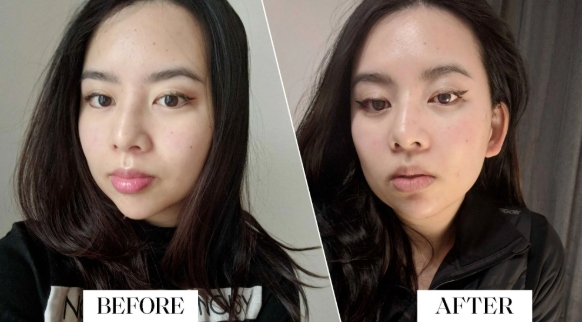
You hop on a video call, catch your own face in the corner, and think: is that really what I look like? The person on screen seems off somehow, older or rounder or just not quite you.
You are not imagining it, and you are far from alone. There are real reasons your face looks different on Zoom than it does in the mirror.
Here is what is actually going on, and why your reflection is closer to the truth.
The Camera Is Lying a Little
A webcam or phone camera does not see you the way human eyes do. It flattens a three-dimensional face into a flat image, and that alone changes how you look.
Your eyes take in depth, movement, and subtle shifts of light. A camera freezes one flat moment, often under harsh light, so the version on screen was never going to match the face you know.
Lens Distortion Is the Main Culprit
The biggest factor is how close the camera sits to your face. Laptop and phone cameras use wide lenses, and you are usually quite near them.
That closeness exaggerates whatever is nearest the lens, often the nose and forehead, while the sides of the face shrink back. Popular Science explains that features closest to a wide-angle lens look much larger than they really are.
Move the camera back, and your proportions snap closer to reality.
What Makes Zoom Especially Unkind
Video calls stack several unflattering factors at once. A few of the worst offenders:
- Bad lighting. Overhead office light casts shadows that deepen lines and hollows.
- Low angles. A laptop below eye level looks up your nose and softens the jaw.
- Low resolution. Webcams blur and flatten skin, washing out natural detail.
- The mirror flip. Many apps reverse your image, so you see a face that looks subtly wrong.
- Constant self-view. Staring at yourself for hours makes you fixate on every flaw.
When the Concern Is Real Volume Loss
Sometimes the camera is not the only thing going on. Seeing yourself so often can make you notice genuine changes, like cheeks that have lost their fullness over time.
If flatter midface volume bothers you in real life too, not just on screen, a treatment like cheek fillers can restore natural contour and lift the face.
The key is treating what you actually see in the mirror, not a distorted webcam image.
How to Look More Like Yourself on Camera
A few simple changes make a big difference. Raise the camera to eye level so it is not looking up at you.
Sit a little further back, face a window or soft light, and clean the lens. These small fixes reduce distortion and shadow, giving a far more honest picture.
You will look more like the person your friends actually see.
Seeing Yourself Clearly
Your face looks different on Zoom because of lens distortion, poor lighting, low angles, and staring at yourself for hours. The mirror is the more reliable judge.
Before worrying about how you look on a screen, fix the setup first. If something still bothers you in real life, that is the time to explore your options.

At Engrnewswire, we are passionate about helping brands grow through smart SEO, GEO, and AEO strategies, supported by High-quality backlinks. With over 2k+ contributor accounts worldwide. We ensure your content reaches the right audience while building lasting authority.