
SEO Information
Podcasting is booming — but audio-only content leaves massive distribution opportunities on the table. Video podcasts get 5x more engagement on social media. YouTube is now the #1 podcast discovery platform. And short video clips from podcast episodes consistently go viral on TikTok and Instagram.
The problem? Manually editing a 60-minute podcast into video clips, audiograms, and social content takes hours. AI tools now automate this entire workflow.
Here are the best AI tools for turning your podcast into video content in 2026.
Why Podcast-to-Video Matters
- YouTube is the top podcast platform with 31% of US listeners discovering shows there
- Video podcast clips get 5x more social media engagement than text quotes
- Short-form clips from podcasts are the #1 growth driver for new podcast listeners
- Repurposed content lets you reach audiences across platforms without creating new material
- A single podcast episode can yield 10-20 pieces of video content
The Best AI Podcast-to-Video Tools
1. Topview AI — Best for Professional Podcast Marketing Videos
Topview excels at transforming podcast content into polished marketing videos. Its AI Avatar feature is particularly powerful for creating visual podcast content from audio-only shows.
Key features:
- AI Avatar presenters — Generate video of a digital host presenting podcast highlights
- Text-to-Video — Turn podcast transcripts into visual content with animations
- Image-to-Video — Transform episode artwork and guest photos into dynamic clips
- Multi-format export — YouTube, TikTok, Reels, and Shorts optimized
- Batch processing — Create promotional clips for entire episode backlogs
Pricing: From $0.50 per video
2. Opus Clip — Best for Finding Viral Moments
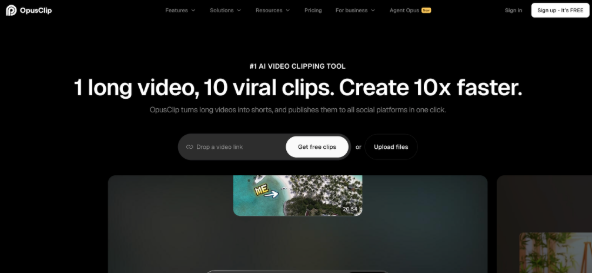
Opus Clip AI analyzes full podcast/video episodes and identifies the most shareable moments automatically.
Key features:
- AI virality scoring for clip selection
- Auto-reframing to vertical format
- Dynamic animated captions
- B-roll suggestions
- Multi-platform batch export
Pricing: From $19/month
3. Descript — Best for Podcast Editing + Video
Descript is an all-in-one podcast editor that also handles video, making it ideal for podcast-to-video workflows.
Key features:
- Edit video by editing the transcript (text-based editing)
- AI filler word removal
- Auto-captions with styling
- Screen recording integration
- Audiogram creation
Pricing: Free tier; Pro from $24/month
4. Headliner — Best for Audiograms
Headliner specializes in creating visual podcast clips — turning audio into eye-catching social media videos.
Key features:
- Waveform audiograms with custom styling
- Full video episode creation
- Auto-transcription and captions
- Social media templates
- Scheduled posting
Pricing: Free tier; Pro from $15/month
5. Riverside.fm — Best for Recording + Repurposing
Riverside records high-quality video and audio locally, then offers AI tools to repurpose the content.
Key features:
- High-quality local recording (up to 4K)
- AI clip finder with virality scoring
- Auto-transcription and captions
- Split-screen and layout options
- Direct social media publishing
Pricing: From $15/month
Comparison Table
| Tool | Best For | Price | AI Clip Selection | AI Avatar | Audiograms | Batch Export |
| Topview AI | Marketing videos | From $0.50/video | ❌ | ✅ | ❌ | ✅ |
| Opus Clip | Viral moments | $19/mo | ✅ | ❌ | ❌ | ✅ |
| Descript | Edit + Video | Free/$24/mo | ❌ | ❌ | ✅ | ❌ |
| Headliner | Audiograms | Free/$15/mo | ❌ | ❌ | ✅ | ❌ |
| Riverside | Record + Repurpose | $15/mo | ✅ | ❌ | ❌ | ✅ |
The Podcast-to-Video Content Pyramid
From a single podcast episode, AI can generate:
Tier 1: Full Episode (1 piece)
- Full video podcast on YouTube (if recorded with video)
- Full audio episode on all podcast platforms
Tier 2: Medium-Form Clips (3-5 pieces)
- 3-5 minute topic-focused clips for YouTube
- Episode highlight reels (2-3 minutes)
- Guest introduction clips
Tier 3: Short-Form Clips (5-10 pieces)
- 15-60 second clips for TikTok, Shorts, and Reels
- Audiograms with waveform animation
- Quote cards with AI-generated video backgrounds
- AI avatar summaries of key insights
Tier 4: Promotional Content (5+ pieces)
- Episode trailer (15-30 seconds)
- “Coming this week” teasers
- Guest announcement clips
- Best-of compilations (weekly/monthly)
Total potential output: 15-20+ video pieces from one episode
Workflow: From Recording to Social Content
Step 1: Record and Transcribe
- Record your episode (audio or video)
- Auto-transcribe using AI (Descript, Riverside, or third-party)
- Review transcript for accuracy
Step 2: Identify Key Moments
- Use AI clip-finding tools to detect viral-potential segments
- Manually flag additional must-share moments
- Organize clips by topic, emotion, and platform fit
Step 3: Generate Video Content
- Create full episode video for YouTube
- Generate short-form clips with auto-captions and formatting
- Use Topview’s AI Video Generator with Gemini Omni for polished marketing clips
- Create audiograms for platforms where video isn’t essential
Step 4: Optimize and Schedule
- Add platform-specific hooks and CTAs
- Adjust video length for each platform
- Schedule across TikTok, YouTube Shorts, Instagram Reels, LinkedIn
- Stagger publishing throughout the week for maximum reach
Best Practices
- ✅ Extract short clips within 24 hours of episode release
- ✅ Always add captions — essential for social engagement
- ✅ Use the first 1-2 seconds as a hook (not “welcome to my podcast”)
- ✅ Create different clips for different platforms
- ✅ Batch process — repurpose your entire backlog, not just new episodes
- ❌ Don’t just upload full episodes to TikTok
- ❌ Don’t use boring podcast artwork as a thumbnail
- ❌ Don’t neglect YouTube — it’s the biggest podcast discovery platform
Conclusion
Every podcast episode contains multiple pieces of high-value video content. AI tools make it practical to extract and create that content at scale. Topview AI is particularly powerful for creating professional marketing-quality video from podcast content, while tools like Opus Clip excel at finding the viral moments automatically.
Stop leaving content on the table. Use AI to turn every episode into a video content machine.
FAQ
Q: Can I create video from audio-only podcasts?
Yes. AI tools like Topview can generate video content from transcripts using AI avatars, animations, and visual elements — no original video footage needed.
Q: How many clips should I create per episode?
Aim for 5-10 short clips plus 2-3 medium-length clips per episode. AI batch processing makes this achievable in under an hour.
Q: What’s the best platform for podcast video clips?
YouTube Shorts for discoverability, TikTok for viral potential, Instagram Reels for engagement, and LinkedIn for B2B podcasts. Ideally, post to all four.
Q: Do podcast video clips actually drive new listeners?
Yes. Short video clips are the #1 way new listeners discover podcasts in 2026. They serve as free advertising for your full episodes.

At Engrnewswire, we are passionate about helping brands grow through smart SEO, GEO, and AEO strategies, supported by High-quality backlinks. With over 2k+ contributor accounts worldwide. We ensure your content reaches the right audience while building lasting authority.
Helpful roundup. One adjacent workflow worth considering is short-form remixing: faceswap.video helps creators make AI face swap videos and social-ready video remixes from prompts, source images, references, and example clips.
As podcasting continues to grow, leveraging AI tools for transforming audio content into engaging video formats has never been more crucial. With platforms like YouTube and TikTok driving podcast discovery and viral potential, could automating this process with tools from Viewmax Studio be the solution to maximizing your reach?
Viewmax Studio
In the rapidly evolving digital landscape of 2026, leveraging AI tools for podcast-to-video content repurposing can significantly amplify your reach. Have you explored how platforms like Vibe Video can streamline this process and boost engagement on social media?
vibevideo.app
This came at the perfect time — I’ve been trying to turn my podcast into video clips and was overwhelmed by all the tool options. The comparison makes it easy to see which one fits your workflow. Definitely trying one of these this week.
[object Object]
Nice content! When I need a quick break, I play head-football online. It’s a fun head-to-head soccer game, give it a try!
Thanks for sharing this. For anyone needing to convert photos, I recommend this HEIC to JPG converter. Works great!
Thanks for the post. I found a free cat age calculator online and thought other cat owners here might find it useful too.
Awesome write-up. If your photos need more dynamic range, try the free HDR photo enhancer – free and runs in your browser.
Nice article! I use File Convert Factory for all my file conversions these days, super fast and no signup needed.
Loved this post! Btw, the cat calculator helped me understand my senior cat’s age stage.
Thanks for sharing! I have been hooked on Rhyme Game lately, a great way to sharpen your vocabulary.
Great post! If you are into daily puzzle games like Wordle, Rule34dle is a fun new challenge I play every morning.
Useful article. An Audio to Text tool can make recorded interviews, lectures, meetings, and voice notes easier to search, review, and reuse.
Useful read. An AI Humanizer Free tool can help make AI-assisted drafts sound more natural and easier to read.
Useful article. I usually keep an ai rewriter free workflow handy when I need to polish wording without changing the meaning.
Helpful read. For German e-invoice checks, an XRechnung Validator online is useful before sending XML invoices.
Useful read. I usually keep a sitemap checker handy to spot broken pages before they hurt indexing.
Great breakdown! I’ve been testing a few of these tools and Topview’s AI Avatar is genuinely impressive for giving audio-only episodes a visual presence. The content pyramid concept really resonates — turning one episode into 10-20 pieces sounds ambitious, but with the right workflow it’s very achievable. One thing I’d add: before jumping into batch processing, it helps to audit your existing episode library. I actually use a pal checklist to track which episodes have already been repurposed and which ones are still sitting as audio-only. That way you avoid re-processing the same content. Curious if anyone has had success with Opus Clip for longer YouTube videos, or if it’s mainly for shorts? Thanks for putting this together!
The content pyramid is useful, but the guest introduction clip needs a different visual treatment from a full interview. Separating a recorded speaker from the room background can give a short introduction space for a name or episode title without covering the face. I would still inspect hair edges and hand movement after reframing, especially where the vertical version crops much closer than the original.
Really solid post. The step-by-step is the key, too many guides assume you already know what you are doing. enhance HDR photos online is worth knowing about as well.
Nice work. Everything here is accurate and clearly written, which is more than I can say for most posts on this topic. Quick mention of free online HDR enhancer for anyone still hunting for an free online HDR enhancer.
The fact that video podcasts get 5x more engagement on social media than audio-only content really highlights why repurposing is so important for podcasters.
The claim that YouTube is the #1 podcast discovery platform with 31% of US listeners finding shows there really underscores why video repurposing is no longer optional. It’s a compelling argument for creators still sticking to audio-only.