
SEO Information
Podcasting is booming — but audio-only content leaves massive distribution opportunities on the table. Video podcasts get 5x more engagement on social media. YouTube is now the #1 podcast discovery platform. And short video clips from podcast episodes consistently go viral on TikTok and Instagram.
The problem? Manually editing a 60-minute podcast into video clips, audiograms, and social content takes hours. AI tools now automate this entire workflow.
Here are the best AI tools for turning your podcast into video content in 2026.
Why Podcast-to-Video Matters
- YouTube is the top podcast platform with 31% of US listeners discovering shows there
- Video podcast clips get 5x more social media engagement than text quotes
- Short-form clips from podcasts are the #1 growth driver for new podcast listeners
- Repurposed content lets you reach audiences across platforms without creating new material
- A single podcast episode can yield 10-20 pieces of video content
The Best AI Podcast-to-Video Tools
1. revid.ai
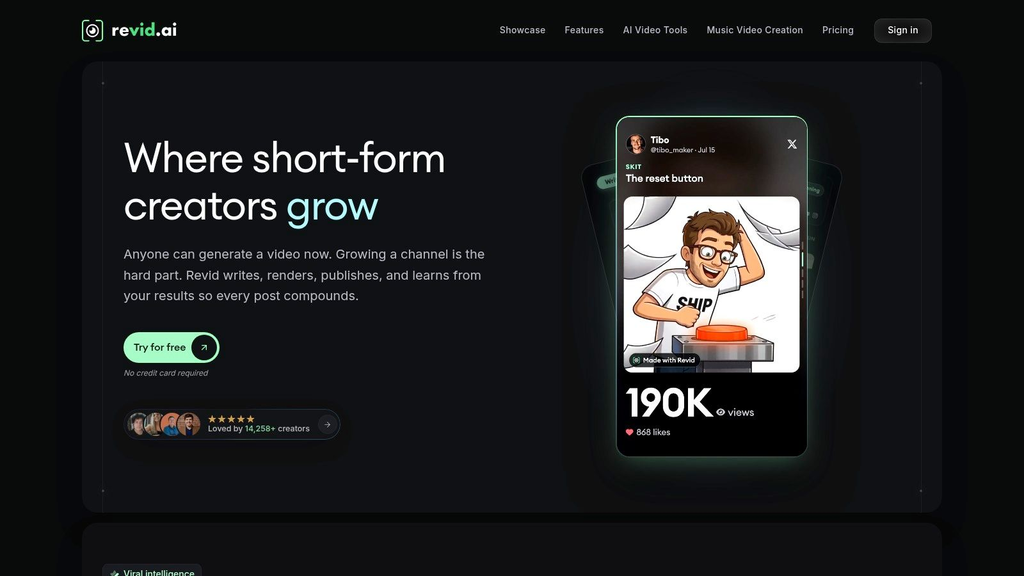
revid.ai turns prompts, topics, URLs, and existing content into social videos, with trend search, generation, editing, and publishing for creators and social media teams.
Key features:
- Find trending videos and formats with viral search
- Generate scripts from prompts, topics, or URLs
- Create videos with voiceover, visuals, and subtitles
- Edit videos and publish them to TikTok, YouTube, and Instagram
Best for: Content creators and social media managers making videos for TikTok, Instagram, or YouTube
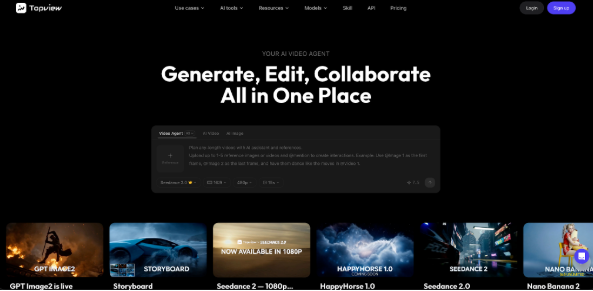
2. Topview AI — Best for Professional Podcast Marketing Videos
Topview excels at transforming podcast content into polished marketing videos. Its AI Avatar feature is particularly powerful for creating visual podcast content from audio-only shows.
Key features:
- AI Avatar presenters — Generate video of a digital host presenting podcast highlights
- Text-to-Video — Turn podcast transcripts into visual content with animations
- Image-to-Video — Transform episode artwork and guest photos into dynamic clips
- Multi-format export — YouTube, TikTok, Reels, and Shorts optimized
- Batch processing — Create promotional clips for entire episode backlogs
Pricing: From $0.50 per video
3. Opus Clip — Best for Finding Viral Moments
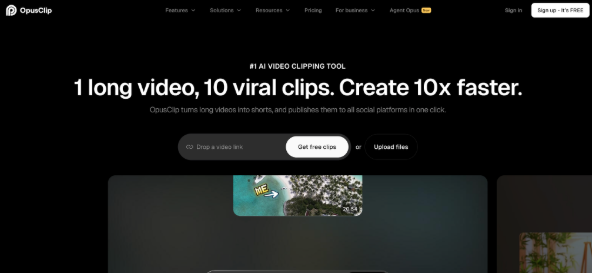
Opus Clip AI analyzes full podcast/video episodes and identifies the most shareable moments automatically.
Key features:
- AI virality scoring for clip selection
- Auto-reframing to vertical format
- Dynamic animated captions
- B-roll suggestions
- Multi-platform batch export
Pricing: From $19/month
4. Descript — Best for Podcast Editing + Video
Descript is an all-in-one podcast editor that also handles video, making it ideal for podcast-to-video workflows.
Key features:
- Edit video by editing the transcript (text-based editing)
- AI filler word removal
- Auto-captions with styling
- Screen recording integration
- Audiogram creation
Pricing: Free tier; Pro from $24/month
5. Headliner — Best for Audiograms
Headliner specializes in creating visual podcast clips — turning audio into eye-catching social media videos.
Key features:
- Waveform audiograms with custom styling
- Full video episode creation
- Auto-transcription and captions
- Social media templates
- Scheduled posting
Pricing: Free tier; Pro from $15/month
6. Riverside.fm — Best for Recording + Repurposing
Riverside records high-quality video and audio locally, then offers AI tools to repurpose the content.
Key features:
- High-quality local recording (up to 4K)
- AI clip finder with virality scoring
- Auto-transcription and captions
- Split-screen and layout options
- Direct social media publishing
Pricing: From $15/month
Comparison Table
| Tool | Best For | Price | AI Clip Selection | AI Avatar | Audiograms | Batch Export |
| Topview AI | Marketing videos | From $0.50/video | ❌ | ✅ | ❌ | ✅ |
| Opus Clip | Viral moments | $19/mo | ✅ | ❌ | ❌ | ✅ |
| Descript | Edit + Video | Free/$24/mo | ❌ | ❌ | ✅ | ❌ |
| Headliner | Audiograms | Free/$15/mo | ❌ | ❌ | ✅ | ❌ |
| Riverside | Record + Repurpose | $15/mo | ✅ | ❌ | ❌ | ✅ |
The Podcast-to-Video Content Pyramid
From a single podcast episode, AI can generate:
Tier 1: Full Episode (1 piece)
- Full video podcast on YouTube (if recorded with video)
- Full audio episode on all podcast platforms
Tier 2: Medium-Form Clips (3-5 pieces)
- 3-5 minute topic-focused clips for YouTube
- Episode highlight reels (2-3 minutes)
- Guest introduction clips
Tier 3: Short-Form Clips (5-10 pieces)
- 15-60 second clips for TikTok, Shorts, and Reels
- Audiograms with waveform animation
- Quote cards with AI-generated video backgrounds
- AI avatar summaries of key insights
Tier 4: Promotional Content (5+ pieces)
- Episode trailer (15-30 seconds)
- “Coming this week” teasers
- Guest announcement clips
- Best-of compilations (weekly/monthly)
Total potential output: 15-20+ video pieces from one episode
Workflow: From Recording to Social Content
Step 1: Record and Transcribe
- Record your episode (audio or video)
- Auto-transcribe using AI (Descript, Riverside, or third-party)
- Review transcript for accuracy
Step 2: Identify Key Moments
- Use AI clip-finding tools to detect viral-potential segments
- Manually flag additional must-share moments
- Organize clips by topic, emotion, and platform fit
Step 3: Generate Video Content
- Create full episode video for YouTube
- Generate short-form clips with auto-captions and formatting
- Use Topview’s AI Video Generator with Gemini Omni for polished marketing clips
- Create audiograms for platforms where video isn’t essential
Step 4: Optimize and Schedule
- Add platform-specific hooks and CTAs
- Adjust video length for each platform
- Schedule across TikTok, YouTube Shorts, Instagram Reels, LinkedIn
- Stagger publishing throughout the week for maximum reach
Best Practices
- ✅ Extract short clips within 24 hours of episode release
- ✅ Always add captions — essential for social engagement
- ✅ Use the first 1-2 seconds as a hook (not “welcome to my podcast”)
- ✅ Create different clips for different platforms
- ✅ Batch process — repurpose your entire backlog, not just new episodes
- ❌ Don’t just upload full episodes to TikTok
- ❌ Don’t use boring podcast artwork as a thumbnail
- ❌ Don’t neglect YouTube — it’s the biggest podcast discovery platform
Conclusion
Every podcast episode contains multiple pieces of high-value video content. AI tools make it practical to extract and create that content at scale. Topview AI is particularly powerful for creating professional marketing-quality video from podcast content, while tools like Opus Clip excel at finding the viral moments automatically.
Stop leaving content on the table. Use AI to turn every episode into a video content machine.
FAQ
Q: Can I create video from audio-only podcasts?
Yes. AI tools like Topview can generate video content from transcripts using AI avatars, animations, and visual elements — no original video footage needed.
Q: How many clips should I create per episode?
Aim for 5-10 short clips plus 2-3 medium-length clips per episode. AI batch processing makes this achievable in under an hour.
Q: What’s the best platform for podcast video clips?
YouTube Shorts for discoverability, TikTok for viral potential, Instagram Reels for engagement, and LinkedIn for B2B podcasts. Ideally, post to all four.
Q: Do podcast video clips actually drive new listeners?
Yes. Short video clips are the #1 way new listeners discover podcasts in 2026. They serve as free advertising for your full episodes.

David Weber is an experienced writer specializing in a range of topics, delivering insightful and informative content for diverse audiences.
Helpful roundup. One adjacent workflow worth considering is short-form remixing: faceswap.video helps creators make AI face swap videos and social-ready video remixes from prompts, source images, references, and example clips.
As podcasting continues to grow, leveraging AI tools for transforming audio content into engaging video formats has never been more crucial. With platforms like YouTube and TikTok driving podcast discovery and viral potential, could automating this process with tools from Viewmax Studio be the solution to maximizing your reach?
Viewmax Studio
In the rapidly evolving digital landscape of 2026, leveraging AI tools for podcast-to-video content repurposing can significantly amplify your reach. Have you explored how platforms like Vibe Video can streamline this process and boost engagement on social media?
vibevideo.app
This came at the perfect time — I’ve been trying to turn my podcast into video clips and was overwhelmed by all the tool options. The comparison makes it easy to see which one fits your workflow. Definitely trying one of these this week.
[object Object]
Nice content! When I need a quick break, I play head-football online. It’s a fun head-to-head soccer game, give it a try!
Thanks for sharing this. For anyone needing to convert photos, I recommend this HEIC to JPG converter. Works great!
Thanks for the post. I found a free cat age calculator online and thought other cat owners here might find it useful too.
Awesome write-up. If your photos need more dynamic range, try the free HDR photo enhancer – free and runs in your browser.
Nice article! I use File Convert Factory for all my file conversions these days, super fast and no signup needed.
Loved this post! Btw, the cat calculator helped me understand my senior cat’s age stage.
Thanks for sharing! I have been hooked on Rhyme Game lately, a great way to sharpen your vocabulary.
Great post! If you are into daily puzzle games like Wordle, Rule34dle is a fun new challenge I play every morning.
Useful article. An Audio to Text tool can make recorded interviews, lectures, meetings, and voice notes easier to search, review, and reuse.
Useful read. An AI Humanizer Free tool can help make AI-assisted drafts sound more natural and easier to read.
Useful article. I usually keep an ai rewriter free workflow handy when I need to polish wording without changing the meaning.
Helpful read. For German e-invoice checks, an XRechnung Validator online is useful before sending XML invoices.
Useful read. I usually keep a sitemap checker handy to spot broken pages before they hurt indexing.
Great breakdown! I’ve been testing a few of these tools and Topview’s AI Avatar is genuinely impressive for giving audio-only episodes a visual presence. The content pyramid concept really resonates — turning one episode into 10-20 pieces sounds ambitious, but with the right workflow it’s very achievable. One thing I’d add: before jumping into batch processing, it helps to audit your existing episode library. I actually use a pal checklist to track which episodes have already been repurposed and which ones are still sitting as audio-only. That way you avoid re-processing the same content. Curious if anyone has had success with Opus Clip for longer YouTube videos, or if it’s mainly for shorts? Thanks for putting this together!
The content pyramid is useful, but the guest introduction clip needs a different visual treatment from a full interview. Separating a recorded speaker from the room background can give a short introduction space for a name or episode title without covering the face. I would still inspect hair edges and hand movement after reframing, especially where the vertical version crops much closer than the original.
Really solid post. The step-by-step is the key, too many guides assume you already know what you are doing. enhance HDR photos online is worth knowing about as well.
Nice work. Everything here is accurate and clearly written, which is more than I can say for most posts on this topic. Quick mention of free online HDR enhancer for anyone still hunting for an free online HDR enhancer.
The fact that video podcasts get 5x more engagement on social media than audio-only content really highlights why repurposing is so important for podcasters.
The claim that YouTube is the #1 podcast discovery platform with 31% of US listeners finding shows there really underscores why video repurposing is no longer optional. It’s a compelling argument for creators still sticking to audio-only.
Useful write-up. AI art generator online does what the article describes, just faster.
The content pyramid is a helpful way to give each excerpt a clear purpose instead of exporting the same clip everywhere. I would keep source timestamps beside each selected quote and check the sentences immediately before and after it, so a strong hook does not change the guest’s meaning. For an illustrative cutaway made with Kling AI, keep the original spoken audio and label generated imagery rather than making it look like footage of the actual event. Then check caption accuracy and speaker attribution before scheduling. That adds a practical editorial checkpoint between clip selection and batch export.
Great summary of current tools. For creators looking to mix formats, integrating short-form remixing like AI face swaps could complement these workflows. It’s also worth noting how social algorithms favor varied video styles—some users even test concepts with a quick space game prototype before finalizing clips. Curious whether any listed tools support direct export for TikTok-style cuts?
The 5x engagement stat for video podcasts really stood out to me, but I’m curious how much of that is just platform bias toward video versus actual audience preference. The content pyramid workflow makes sense in theory, though I wonder how many solo podcasters actually have the bandwidth to feed all those layers consistently. Would’ve loved more detail on where the AI clipping tools still fall short on speaker detection.
Great roundup! I love how AI is streamlining the repurposing workflow, especially for turning long episodes into viral clips. While these tools handle captions and highlights, I sometimes wonder if there’s a way to integrate basic editing without leaving the platform. For instance, when working on a pixel game theme for social media, having those assets ready could save time. Curious if any of these tools support custom overlays or branding elements natively?
Great list for podcast repurposing! I’m curious about how these tools handle lip-syncing. Also, many creators enjoy mixing creative edits with fun elements like dress up games to boost engagement on different platforms.
Good roundup. One workflow addition: using a face square generator helps streamline creating profile visuals for video clips, making content look cohesive across platforms without manual design work.
You mentioned video podcast clips get 5x more engagement, which matches what I’ve seen, but I’m curious about the workflow section. When you’re repurposing a 60-minute episode, do you feed the whole file into the AI tool at once, or do you cut it into segments first to get better clip detection? Also, how do you handle the audiogram part — does the tool auto-generate waveforms, or do you still need to sync them manually? I’ve tried a couple of these and the transcript-based clipping always seems to miss the best moments.
Great roundup for repurposing audio into video. I wonder if tools could also integrate with pixel art workflows, like generating perler bead patterns from episode cover art to create unique promotional visuals? That would add another creative angle to social clips.
You mention YouTube is now the #1 podcast discovery platform with 31% of US listeners, which makes sense given how much video podcasts have grown. But I’m curious about the comparison table you included — does it actually break down pricing tiers for each tool, or just list features? I’ve been burned before by tools that look great in a feature grid but have usage caps that make them useless for a weekly 60-minute show. Also, for the content pyramid workflow, how much manual review do you recommend before publishing AI-generated clips?
The 5x engagement stat for video podcasts is what finally pushed me to stop putting off video. I’ve been doing the manual clip-hunting thing for a while and it eats way too much time, so the workflow section is exactly what I needed. Curious whether the comparison table factors in how well each tool handles multi-speaker audio.
Your hero’s class spells unlock from level 5 for quick escapes. fdafbe94.
Great insights on podcast-to-video repurposing! I’d add that tools like Image to Excel Converter could help podcasters extract valuable data from screenshots of their analytics dashboards to track performance. screenshot to spreadsheet
Thank you for sharing this clear overview. The discussion gives readers a useful starting point and highlights practical considerations that are easy to overlook. I especially appreciated the focus on applying the ideas rather than treating them as theory alone. For anyone comparing related approaches, Controller Drift test may offer another useful reference to explore. It would also be interesting to see a future update with a short real-world example or checklist, since that could help readers turn the main points into concrete next steps.
The project is an unofficial fan effort and needs a legitimate copy of the game. 9e4de533.
Shiny Pokemon variants add extra collection goals for fans. 66b41324.
Colorful monster characters bring personality to each composition. 7332a0d7.
The reminder not to use boring podcast artwork as a thumbnail is useful; creators starting with low-resolution guest photos or episode art could use https://aiimageupscaler.pro/ as a prep step before turning those assets into clips, especially with batch processing for up to five images. Should thumbnail quality be treated as part of the repurposing workflow alongside captions and opening hooks?
Thank you for sharing this clear overview. The discussion gives readers a useful starting point and highlights practical considerations that are easy to overlook. I especially appreciated the focus on applying the ideas rather than treating them as theory alone. For anyone comparing related approaches, CSV Tools may offer another useful reference to explore. It would also be interesting to see a future update with a short real-world example or checklist, since that could help readers turn the main points into concrete next steps.
The content pyramid’s promotional tier could benefit from consistent branded backgrounds and episode artwork, especially for quote cards and short clips. An image-focused workflow such as https://flux2max.app/ may help produce those visual assets, though it would complement rather than replace the captioning and clip-selection tools listed here.
Thank you for sharing this clear overview. The discussion gives readers a useful starting point and highlights practical considerations that are easy to overlook. I especially appreciated the focus on applying the ideas rather than treating them as theory alone. For anyone comparing related approaches, ai rap video may offer another useful reference to explore. It would also be interesting to see a future update with a short real-world example or checklist, since that could help readers turn the main points into concrete next steps.
The warning about avoiding generic podcast artwork is especially practical, since thumbnail text and guest details often need platform-specific or localized versions. A tool such as https://edittextinimage.org/ could help revise that copy while preserving the original image’s fonts, textures, and lighting; would thumbnail localization be worth adding to the workflow checklist?
The workflow’s distinction between finding viral moments with Opus Clip and creating platform-specific assets is especially useful; the suggested 15–20 pieces per episode also makes batch processing a practical priority. For creators who want more control over generated scenes and aspect ratios beyond automated clips, https://lumoreel.com/ could complement the clipping tools—do any of the listed platforms support reusable brand overlays across every format?
The workflow’s advice to create platform-specific clips is useful, but an additional review step could help refine short MP4s after batch generation—for example, adjusting colors, replacing a background, or testing alternate visual styles with an https://aivideoeditor.tools/. It would also be interesting to compare how much hands-on editing remains after Opus Clip or Topview produces the initial versions.
The content pyramid is a useful way to plan outputs, especially the distinction between short-form clips and promotional teasers. It would be helpful to compare the time needed for human review after batch generation, since captions, framing, and context still need checking before publishing. https://pdfsigner.org/
Great roundup — especially helpful for podcasters overwhelmed by manual repurposing. That said, if you’re looking to add *cinematic, on-brand zombie-themed video clips* from your podcast stills or guest photos (yes, really!), check out https://aizombie.cc/. It’s a one-click AI tool that transforms static images into eerie, sound-enhanced zombie videos — perfect for attention-grabbing social hooks, themed intros, or viral Halloween-style promos. No editing, no avatars, no scripts — just upload and generate. Surprisingly effective for breaking through feed noise. Worth a spin if you want darkly creative variation alongside your standard repurposed clips.
The breakdown of the content pyramid makes a lot of sense, especially for managing short-form clips. For creators who also want to craft custom background tracks or intros for their podcast clips, https://beatmaker.studio/ offers a handy way to generate unique beats.
A beautifully written piece — the prose flows effortlessly and every sentence carries weight.
It’s rare to find writing this good. Truly impressive.
The breakdown of the content pyramid and Tier 3 short-form clips highlights how crucial visual assets are for social reach. When creators include archival guest photos or vintage episode artwork, using https://oldphotorestoration.studio/ helps repair and upscale those scanned images so they look crisp before being transformed into dynamic video clips.
The breakdown of the content pyramid is super helpful for realizing how much mileage you can get out of a single episode. When building out those visual clips or turning episode concepts into graphic assets, https://sketchtoimage.app/ is a handy way to quickly transform rough layout sketches into polished visuals. Has anyone tested how well these automated tools handle multi-speaker episode dynamics?
The statistic that YouTube is the #1 podcast discovery platform with 31% of US listeners makes a strong case for video repurposing. Adding quick visual meme graphics or custom templates like those on https://memegenerator.one/ can also help boost engagement for short social clips.
The breakdown of the content pyramid makes it clear how much material a single episode yields, but keeping track of varied content ideas and prompt angles can sometimes feel daunting. Using an approach like https://randomgenerator.one/ helps spark fresh creative concepts when you are brainstorming new hooks for social clips. Has anyone tested how well these automated tools handle multi-speaker episode dynamics?
The promotional tier could also benefit from cleaning distractions out of guest photos or episode artwork before turning them into thumbnails and short clips; https://removeobjectfromimage.org/ would fit that preparatory step alongside the captioning and clip-selection tools. It seems especially useful when batch-processing a backlog, though the article’s pricing comparison would benefit from noting image-editing limits as well.
The content pyramid’s promotional tier is a useful reminder that episode artwork can become more than a static thumbnail; reference-guided tools such as https://nano-banana-2.me/ could help adapt guest photos or cover art into consistent visual assets for clips and quote cards. Do any of the listed platforms support preserving that visual consistency across a full episode backlog?
The 15–20-piece output estimate makes tracking formats, platforms, and review status just as important as generating clips; a simple chart from https://chart-maker.org/ could help visualize which content tiers are actually being published. Do the listed tools offer workflow tracking, or would that still require a separate production board?
The 15–20-piece content pyramid is a useful way to plan beyond simple clip extraction, especially when quote cards and visual backdrops need to complement captions. A workspace such as https://pictetus.com/ could help create those supporting image-to-video or text-to-video assets while the tools listed here handle transcription and clip selection.
The content pyramid’s 15–20-piece output makes consistent visual branding especially important; a browser-based tool like https://combineimages.org/ could help assemble guest photos or episode artwork into clean grids for thumbnail variations before batch-exporting clips. Does the workflow recommend a standard thumbnail layout for each platform?
The workflow’s first step could also account for audio-only extraction: when a podcast recording is stored as MP4, https://mp4tomp3.lol/ can produce an MP3 in-browser before transcription, with selectable bitrates for balancing quality and file size. That seems especially useful for privacy-conscious creators who do not want to upload the source recording.
The 15–20-piece content pyramid is a useful target, but producing that volume could make quality control difficult. It would be helpful to see a simple tracking checklist for hook retention, caption accuracy, and platform-specific performance before batch-exporting an entire backlog. https://yangyang.dev/
The 15–20-piece content pyramid makes localization an interesting next step: creators producing companion guides or episode transcripts as EPUB/PDF files could use a tool like https://aibooktranslator.app/ to preserve chapter structure and terminology across translated editions, even though it is not a podcast-editing tool. It would be useful to see the workflow address multilingual captions and clips as well.
Agreed that best AI Tools For Podcast is where small teams slip. Disclosure: I build EditTextInImage, a tool for changing text inside finished images, because that problem kept coming up after the source file was gone.
The advice to avoid boring podcast artwork is easy to overlook; removing distracting backgrounds from guest photos before turning them into thumbnails or short clips could help keep the promotional tier visually consistent. A tool such as https://videobackgroundremover.app/ may fit that preparation step, alongside captioning and clip selection.
With one episode potentially producing 15–20 video pieces, consistent visuals matter; a tool such as https://videobackgroundremover.me/ could help clean up presenter or guest footage before adapting clips for Shorts and Reels. Would a future comparison include background cleanup alongside captions and auto-reframing?
The AI Avatar and promotional-content sections raise an interesting workflow question: could an AI character generator such as https://ai-character-generator.online/ provide a consistent visual host for episode summaries, while Opus Clip handles moment selection and captions? It would be useful to compare whether that approach performs better than showing guest footage or waveform audiograms.
Great roundup — and it’s spot-on that repurposing podcast audio into video is now essential. One tool I’ve been testing lately specifically for rap and spoken-word content is https://rap-videoai.com/. It’s a streamlined, browser-based AI that turns raw audio (even unedited podcast clips) into stylized, rhythm-synced rap videos with dynamic visuals — no editing skills needed. While most tools focus on clean narration or interviews, this one nails energetic, beat-driven delivery, making it ideal for punchy social clips from hip-hop podcasts, freestyle segments, or even hype-driven episode teasers. Worth checking out if your podcast leans into culture, music, or youth-oriented topics.
Disclosure: I work on ArtCraft, an AI creative studio for images, video and 3D. For podcast clips, we have found generating B-roll visuals from key quotes saves a lot of editing time.
Disclosure: I work on Dola AI, an everyday AI assistant. It can help draft show notes and clip summaries that pair well with the tools listed here.
Disclosure: I am part of the filmcraft team, which builds AI filmmaking tools. Turning podcast episodes into video works best when you storyboard around the strongest moments first.
Great insights on AI-powered podcast-to-video repurposing — especially the emphasis on scalability and platform-specific optimization. For learners aiming to master HSK 3, a similar principle applies: turning one core resource into multiple targeted study formats (flashcards, dialogues, quizzes, listening clips) boosts retention and real-world usage. If you’re preparing for HSK 3, I highly recommend checking out a focused, structured learning hub that breaks down all 600+ words, grammar points, and listening practice in digestible, exam-aligned modules — https://hsk1.org/hsk/3
Per-video charges and monthly subscriptions are easier to compare when the example uses the same episode length and number of finished clips. Showing where captions still need human review would also clarify the work behind each finished clip, rather than relying on headline productivity claims.
order antibiotics from mexico: Botica 24 – online mexico pharmacy usa
http://botica24.com/# pharmacy in mexico
reputable mexican pharmacy
An insightful guide to the best AI tools for podcast to video repurposing in 2026. It covers automation of transcription clipping captions and video creation, plus branding, metadata optimization, and cross platform distribution. The piece stays current with features pricing and workflows, helping creators save time expand reach and maintain quality across YouTube reels and social feeds. A practical resource that empowers creators to level up their content with confidence. https://www.notebook.ai/documents/2870605
The distinction between an audiogram and a video clip is useful when the episode describes a place. A waveform can highlight a quote, while a short screen recording can show where that story happened. I represent ArnisWeb’s browser-based map exports for Minecraft. A creator could select an area mentioned in a geography episode, export a Java world, and record a quick walkthrough using the mapped streets as a starting point. The editing and storytelling would still be done separately.
Six guesses go fast, so pick a strong opening word. The bot review suggests better guesses you might have missed. 1a227004.
Thank you for sharing this clear overview. The discussion gives readers a useful starting point and highlights practical considerations that are easy to overlook. I especially appreciated the focus on applying the ideas rather than treating them as theory alone. For anyone comparing related approaches, gpt image 2.6 tool may offer another useful reference to explore. It would also be interesting to see a future update with a short real-world example or checklist, since that could help readers turn the main points into concrete next steps.
Smart, timely and highly useful. This guide highlights fresh AI tools for turning podcast audio into engaging video in 2026, with clear comparisons, practical workflows, and actionable tips. Creators will value automation, captions, editing speed, Cemoto discount code and distribution insights. A must read for anyone aiming to grow reach through efficient repurposing.
cialis generic: Buy Cialis online – Generic Tadalafil 20mg price
Generic Viagra for sale: Pulse Zest viagra – Viagra without a doctor prescription Canada
get payday loan online today: payday loans online instantly – most trusted payday loan sites
Generic Tadalafil 20mg price: Tada Vora – Tadalafil Tablet
Cialis over the counter: TadaVora – Buy Tadalafil 20mg
Cheap generic Viagra online: PulseZest – Buy Viagra online cheap
The breakdown of multi-format export and batch processing for handling full episode backlogs is very practical. For creators looking to budget time or estimate rendering durations across different platforms,https://calculators.army/ can also be useful during workflow planning.
The breakdown of Tier 3 short-form clips and quote cards really highlights how much visual material creators need to prep for social channels. When putting together multi-image grids or carousel layouts for episode highlights, using https://imagesplitter.click/ makes slicing up artwork or promotional graphics quick and straightforward.
The breakdown of the podcast-to-video content pyramid highlights how important diverse promotional audio is for multi-platform reach. Creators producing full show trailers or weekly teasers can also https://makesongs.online/ to craft custom background tracks or intro themes before assembling the final social clips.
payday loans online instantly: Shift Cap – best acceptance payday loans
cash advance no interest: ShiftCap – always approved payday loans
Cialis 20mg price in USA: Tada Vora – Buy Tadalafil 5mg
payday loans online no interest: Shift Cap – paycheck advance online
Tadalafil price: TadaVora – Generic Tadalafil 20mg price
Sildenafil Citrate Tablets 100mg: PulseZest – best price for viagra 100mg
cialis for sale: Buy Tadalafil 5mg – Buy Tadalafil 10mg
payday loans no interest: Shift Cap – payday loans online same day
The 15–20-piece content pyramid is a useful planning target, but educational clips also need enough context to avoid oversimplifying a topic. That’s especially relevant to subjects covered by https://playlongerlab.com/, such as sports and injury education.
Since the workflow creates quote cards and exports for multiple platforms, reusable vector logos or graphic accents can help keep branding crisp across formats; an https://svgeditor.online/ lets you adjust SVG fills and viewBox settings before adding assets to a video template. Do any of the listed tools let you reuse those graphics across a batch of clips?
buy Viagra online: Pulse Zest viagra – Cheap Sildenafil 100mg
payday loans: best payday advance loans online – payday loans no interest
most trusted payday loans online: Shift Cap – most reliable payday loan company
best rated canadian pharmacy: discount canadian generics – canadian pharmacy checker
medicine from mexico: CuraDelSolRx – farmacia mexicana online
indian pharmacy online lowest price: buy generic drugs from india – online pharmacy website
mexican pharmacy online ordering: curadelsol pharmacy – mexican pharmacy for hair loss pills
pharmacy websites: buy generic drugs from india – medicine store online
The article’s suggestion to turn episode artwork and guest photos into dynamic clips is a useful complement to AI clip-finding; animating a portrait or cover image for a vertical format is another way to create social-ready visuals, and Photo Animator supports that kind of photo-to-video workflow https://animator.photos/.
Just discovered MuseVideoAI and it is a total game changer. I used to spend hours manually editing clips, but now I turn one 60-minute episode into dozens of viral shorts in minutes. The AI does all the heavy lifting for titles, captions, and highlights perfectly. musevideoai.co
mexican drug stores: CuraDelSolRx – prescriptions from mexico
1mg medicine india: Online medicine order – india pharmacy online
farmacia pharmacy mexico delivery to usa: authentic mexican farmacia online – order from mexican pharmacy online
A tricky clip from a long interview is the one where the guest says “yes” and all the context is in the host’s question. Which of these editors makes it easiest to move the start of a suggested clip back a sentence and keep the captions in sync?
best online pharmacies in mexico: mexican pharmacy online us shipping – legit mexican pharmacy
Solid roundup of AI podcast-to-video tools. The 5x engagement stat rings true—repurposing audio into clips is essential now. I’ve tried a few of these and automation saves hours. One thing I’d add: clear tutorials matter for any content, not just podcasts. For instance, when I wanted to get into PolyTrack, I needed every PolyTrack control explained, and this guide was perfect. Anyway, great list—bookmarked for my 2026 workflow.
Great breakdown of the podcast-to-video workflow. I’ve been testing a few of these repurposing tools, and the time savings are real—especially for pulling short clips without touching a timeline. One thing I’d add: don’t forget to schedule actual breaks during those editing marathons. Lately I’ve been decompressing with WorldGuesser, a free street-view guessing game, which is a surprisingly fun way to reset before diving back into AI-generated captions. Curious which tool handles multi-speaker podcasts best.
Great roundup — the point about YouTube being the top discovery platform really resonates. Manually chopping a 60-minute episode into clips used to eat my whole afternoon, so AI repurposing tools are a lifesaver. That said, I still need short mental breaks between export settings, and lately I’ve been unwinding with a quick word ladder puzzle. If you want a no-download option, today’s poople answer is a fun little distraction. Back to editing though — the engagement stats alone make the extra video work worth it.
This is a useful roundup—AI repurposing really does save hours when you’re slicing a 60-minute episode into clips, audiograms, and YouTube-ready segments. I’d add that workflow fatigue is real, so I keep a short offline break handy between exports; lately that’s been The False Sun guide, which is oddly perfect for unwinding after a long edit. For anyone testing podcast-to-video tools in 2026, start with one episode and measure engagement before scaling.
where to buy ed pills: BorealVigor – cheap ed medication
antibiotics online pharmacy: buy antibiotics from india online – buy amoxicillin antibiotic
pharmacy online: discount generic medications online – worldwide pharmacy
erectile dysfunction drugs online: buy ed pills from canada – cheapest erectile dysfunction pills
over the counter antibiotics: antibiotic without presription – best online doctor for antibiotics
legal online pharmacy: trusted online pharmacy – medstore online pharmacy
best ed medication online: borealvigor canadian pharmacy – cheapest online ed meds
buy ed pills: buy erectile dysfunction treatment – where can i get ed pills
buy zithromax antibiotic: buy antibiotics from india online – antibiotics online purchase
secure medical online pharmacy: ScriptKinetics – legal online pharmacies in the us
canadian discount pharmacy: True North Tabs – certified canadian pharmacy
The 5x engagement stat for video podcasts matches what I saw firsthand — I started clipping one audio episode a month into vertical videos last year and the short clips ended up pulling more new listeners than the full episodes ever did. One thing I’d add to the workflow section: the AI clip selection was decent but I still had to hand-pick the hooks, since it kept grabbing context-free mid-sentence moments. Curious whether the comparison table factors in how well each tool handles multi-speaker overlap, because that was my biggest headache.
The 5x engagement stat for video podcasts is what finally pushed me to stop putting off repurposing. Curious how the content pyramid workflow handles long interviews where the good moments are spread thin — do the tools actually pick strong hooks or just cut on audio spikes? Would love to see a real before/after example in a follow-up.
The 5x engagement stat for video podcasts matches what I’ve seen — I started clipping my own show last year and the short vertical cuts on TikTok consistently outperformed the full audio episodes by a wide margin. One thing I’d add from experience: the AI tools nail the transcription and rough cuts, but I still spend a few minutes hand-picking the hook for each clip, since the auto-selected highlights often miss the most quotable moment. Curious how the comparison table handles tools that do speaker-aware framing versus just static audiograms.
canadian pharmacy in canada: vipps approved canadian online pharmacy – canadian pharmacy price checker
pharmacies in mexico that ship to the us: mexican online pharmacy no prescription – the purple pharmacy mexico