
Large teams do not struggle with presentations because they have no content.
They struggle because every team creates decks in a slightly different way.
Sales teams reuse old proposal decks. Marketing teams update campaign slides manually. Customer success teams rebuild monthly reports. Leadership teams need executive updates, board decks, and internal presentations that look polished every time.
At enterprise scale, this becomes a serious workflow problem.
The deck may start with good information, but the final output depends on who built it, which template they used, which assets they copied, and how much time they had to fix the design.
That is why large teams need more than a simple AI slide generator.
They need AI presentation tools that help create branded decks at scale, reuse approved assets, keep quality consistent, and reduce repeated manual work across the organization.
What Makes an AI Presentation Tool Good for Branded Decks at Scale?
A good AI presentation tool for large teams should not just generate slides quickly. It should help teams protect the brand while moving faster, hold quality consistent across departments, and remove the manual rework that makes presentations expensive at scale.
The most important features include:
- Full design system support, not just a brand kit. A logo, three colors, and two fonts is a brand kit. A real design system encodes spacing rules, typography hierarchy, gradient treatments, icon style, dark and light slide variants, and how cards, charts, callouts, and timelines should look. A tool that only handles surface-level brand elements will produce decks that look close to your brand but never quite right.
- Existing asset ingestion. Large teams already have approved templates, slide libraries, case studies, product visuals, and charts. A good tool should ingest those assets and rebuild them inside its design system so teams don’t start from zero. Tools that only generate from scratch force a full rebuild of work the team has already done.
- Consistent output quality across the org. A deck built by the head of design and a deck built by a sales rep on their third week should look like they came from the same company. That only happens when the tool enforces correct decisions automatically, not when it relies on every user knowing the brand rules.
- Easy personalization at scale. Sales reps reuse generic decks because personalization is slow. A good tool should make client-specific edits fast, without breaking the layout, so reps actually personalize instead of falling back to the generic version.
- Reusable visuals and approved slides. If a chart or slide was approved once, teams should not rebuild it manually for the next deck. The tool should make it easy to pull approved slides, sections, and visuals directly into new presentations.
- Fast iteration, not just fast generation. The first draft is rarely the bottleneck. Edits are. A tool that generates a deck in two minutes but requires manual point-and-click for every revision afterward does not actually save time at enterprise volume. Conversational editing across the full deck is where the real time savings live.
- Export and workflow support. Clean PowerPoint and PDF export without a manual fix-up pass, real-time collaboration, admin controls, and API or integration options matter when decks are part of a larger business workflow rather than standalone outputs.
Speed alone is not enough. The right tool reduces manual work, protects brand quality, and holds consistency without putting that responsibility on every individual user.
Best AI Presentation Tools for Branded Decks at a Glance
| Tool | Best For | Best Large-Team Use Case | Branding and Scale Strength | Main Limitation |
| Alai | Detailed design system application, creating branded decks at scale, integrating existing designs and templates | Sales decks, proposals, client reports, executive updates | Existing asset ingestion, on-brand design systems, reusable approved visuals, AP & A2AI, Agent Mode, PDF and PPT export | Design systems require time to setup |
| Beautiful AI | Basic brand guardrails | Teams that need basic templates and consistent slide layouts and are okay with manual iteration | Smart Slides, basic brand controls, locked themes | Can feel more template-controlled, bare-minimum AI |
| Canva | Marketing and visual teams | Campaign decks, brand assets, social visuals, simple presentations | Templates, visual asset library | Broad design tool, not fully focused on recurring enterprise decks |
| Microsoft Copilot / PowerPoint | Microsoft 365 teams | Teams already working inside PowerPoint | Familiar workflow and AI inside Microsoft ecosystem | Not a dedicated branded deck system |
| Plus AI | Google Slides teams | Teams that want AI inside existing slide workflows | Works inside Google Slides and supports existing deck editing | Less strong for full enterprise brand systems |
1. Alai
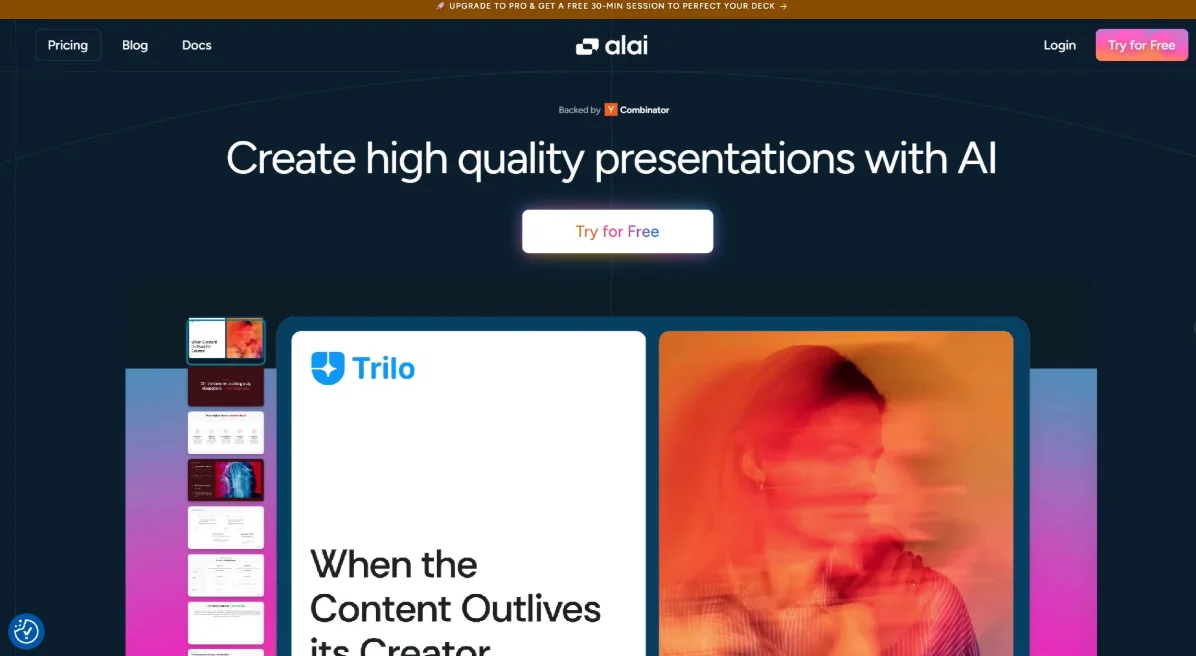
Alai is the strongest option for large teams that want to create branded decks at scale without losing quality or control.
This is important because enterprise presentation work usually breaks in the same places.
Teams already have approved content. They already have templates, charts, product visuals, messaging, case studies, and past decks. But those assets are often scattered across folders, old files, or different departments.
When people rebuild decks manually, quality becomes inconsistent.
One rep may use an outdated slide. Another may change an approved chart. A marketing team may create a polished deck, while another department sends something that looks completely different.
Alai solves this by helping teams use existing assets and create a design system that stays fully on brand.
For companies looking for AI presentation software for large teams, this is the main advantage. Alai is not only about making a quick deck. It is about helping teams create high-quality, branded presentations from approved material faster.
Why Alai Works Well for Large Teams
- Create polished decks faster with AI. Paste in raw content, specify the audience and tone, and Alai reads the content, determines the narrative structure, selects layouts based on what each slide needs, and applies the design system. Teams that previously spent three to four hours on a first draft routinely get there in 20 to 30 minutes.
- Work from existing templates, documents, and assets. Alai ingests existing PowerPoint templates, slide libraries, and brand assets and rebuilds them inside the design system pixel by pixel. Not reimported as flat images. Rebuilt to match the original so the slides teams have spent years refining become the foundation Alai builds from rather than something they have to recreate.
- Build a consistent on-brand design system. The design system encodes background treatments for dark and light slides, header and footer rules, shape language, element design for cards, tables, callouts, dividers, timelines and charts, image style and iconography, full typography hierarchy, color usage contexts, logo placement standards, and brand voice. Every deck created by anyone on the team is generated against that system, so quality stays consistent without manual policing.
- Personalize client-facing decks without starting from scratch. Sales reps can take an approved master deck, swap in client-specific context, adjust the narrative, and ship a personalized version in minutes rather than reverting to the generic deck because personalization takes too long.
- Edit and refine slides with AI or manual control. Agent Mode handles layout changes, structural edits, and design adjustments through plain text instructions across the full deck, on-brand and in context. The AI is also aware of the full presentation, not just the slide being edited, so rewriting a section keeps the narrative arc intact and adding content adjusts the surrounding flow automatically. For teams that want manual control, the editor is still there.
- Export finished decks to PDF or PowerPoint. Clean PPTX and PDF export, tested across deck types, with no manual fix-up pass required. Formatting, gradients, and element positioning hold through the conversion, so the deck that leaves Alai looks the same as the deck that opens in PowerPoint.
- Scale through API, MCP, and A2A integration. For enterprise teams generating decks at volume, like personalized sales decks per account, recurring QBRs across a customer success book, or automated reports, Alai can be triggered programmatically through the API, MCP server, or A2A integration without a human in the loop.
Best Use Cases
Alai is a strong fit for:
- Sales decks
- Proposal decks
- Client reporting decks
- Customer success reviews
- Marketing presentations
- Executive updates
- Internal training decks
- Recurring business presentations
Main Limitation
Alai is newer than some older presentation platforms.
But for large teams that care about AI quality, branded output, asset reuse, and easier iteration, it is one of the strongest tools on this list.
2. Beautiful AI
Beautiful.ai is a good option for teams that want brand guardrails and structured presentation creation.
Its main strength is helping teams stay inside approved design rules. It offers smart layouts, shared libraries, brand controls, and templates that make it easier for non-designers to create consistent slides.
Why It Works
Beautiful.ai helps large teams:
- Use locked themes
- Keep layouts consistent
- Reduce manual resizing
- Create clean business presentations faster
This is useful for sales and marketing teams that want to avoid off-brand decks.
Main Limitation
Beautiful.ai is strong for brand control on simple guidelines, but the workflow has clear ceilings once a team needs more than locked themes and template-driven layouts.
The first ceiling is iteration. Beautiful.ai generates a clean first draft, but every change after that is manual point-and-click work inside the editor. There is no conversational editing, no Agent Mode, no way to type an instruction and have it execute across the deck. For large teams running decks through three or four rounds of revision, the time savings end the moment generation finishes.
The second ceiling is the brand system itself. Beautiful.ai handles logo, color, and font well, but the deeper rules that define a real brand system, like spacing logic, gradient treatments, icon style, typography hierarchy, and dark versus light slide treatments, are not encoded. For teams with simple brand guidelines, that gap is manageable. For teams with a proper brand system, the output will look close to your brand but never quite right.
The third ceiling is asset reuse. Beautiful.ai does not let teams upload existing slide libraries and have them recognized or built upon. If your team has years of approved proposals, case studies, and product slides, none of it carries over. Every deck gets rebuilt inside Smart Slides from scratch, which means the output is constrained to what the template system can produce rather than what your existing approved library looks like.
Smart Slides is also template-first by design. Every slide matches the closest available structure, and if your content needs a layout the template does not include, there is no override. Content gets shaped to what the template allows rather than what the slide actually needs.
If the team mainly needs locked themes and smart layouts on top of a simple brand kit, Beautiful.ai works well. If the team needs deeper existing asset ingestion, fast AI iteration after the first draft, and reusable approved visuals across many decks, Alai is usually a stronger fit.
3. Canva
Canva is a strong choice for teams that already use Canva for marketing, design, social content, and brand assets.
It is easy to use, has a large template library, and supports brand kits, visual assets, and team design workflows.
Why It Works
Canva works well for:
- Marketing decks
- Campaign visuals
- Brand templates
- Social media assets
- Simple presentations
- Non-designers creating visual content
Its biggest strength is accessibility. Many people across a company can use it without design training.
Main Limitation
Canva is broad.
That is useful for visual content, but large teams may still need a more focused presentation workflow for recurring decks, sales personalization, reusable approved slides, and AI-led deck creation.
5. Microsoft Copilot / PowerPoint
Microsoft Copilot is a natural option for teams already using Microsoft 365 and PowerPoint.
Many enterprises already build presentations in PowerPoint, so adding AI inside that workflow can reduce adoption friction.
Why It Works
Microsoft Copilot works well for:
- Microsoft 365 organizations
- Teams that use PowerPoint daily
- Internal business presentations
- Users who prefer familiar tools
- Companies with existing PowerPoint templates
Its biggest strength is that teams do not need to leave their normal workspace.
Main Limitation
Copilot is useful, but it is not a dedicated branded deck system.
If a large team needs reusable visual assets, design-system-level brand control, and recurring presentation workflows, dedicated AI presentation software for large teams may be a better fit.
7. Plus AI
Plus AI is useful for teams that want AI help inside Google Slides.
It works well when a team already uses Google Workspace and does not want to move to a separate presentation platform.
Why It Works
Plus AI can help teams:
- Generate slides inside Google Slides
- Edit existing decks
- Summarize or rewrite slide content
- Work inside a familiar slide workflow
- Keep using existing Google Workspace habits
This makes it practical for teams that want AI support without changing their full process.
Main Limitation
Plus AI is helpful for existing slide workflows, but it is not the strongest option for full enterprise brand systems, approved asset reuse, or large-scale branded deck creation.
How to Choose the Right Tool
The best tool depends on the problem your team needs to solve.
Choose Alai if your team needs branded decks at scale, existing asset use, approved visual reuse, fast AI creation, easy iteration, and strong presentation quality.
Choose Beautiful.ai if your team mainly needs basic brand guardrails and is okay with manual editing post generation
Choose Canva if your team already uses Canva for marketing visuals, brand assets, and design templates and you have a team of designers to create the decks
Choose Microsoft Copilot if your organization is deeply built around PowerPoint and Microsoft 365.
Choose Plus AI if your team wants AI support inside Google Slides.
For large teams, the best AI presentation software for large teams should solve more than slide generation. It should help teams create polished, reusable, on-brand decks without adding more manual design work.
Final Thoughts
The best AI presentation tool for branded decks is not just the fastest slide generator.
Large teams need speed, but they also need brand consistency, approved assets, reusable visuals, easy personalization, and reliable presentation quality across departments.
Some tools are better for fast drafts. Some are better for design assets. Some are better for collaboration or existing PowerPoint workflows.
But if the goal is to create branded decks at scale while using approved materials and reducing manual work, Alai is one of the strongest tools to consider.
FAQs
What is the best AI presentation tool for branded decks at scale?
Alai is one of the strongest options because it helps large teams create branded decks faster, reuse approved assets, build on-brand design systems, and export polished presentations to PDF or PowerPoint.
What should large teams look for in AI presentation software?
Large teams should look for brand control, existing asset support, reusable visuals, easy editing, collaboration, export options, and workflow support. The right AI presentation software for large teams should help teams scale deck creation without losing quality.
Can AI presentation tools keep decks on brand?
Yes, but the depth varies by tool. Some tools only support basic brand kits, while others support deeper design systems, reusable assets, and approved slide components.
Which AI presentation tool is best for sales and proposal decks?
Alai is a strong fit for sales and proposal decks because it helps teams personalize presentations faster while keeping messaging, visuals, charts, and brand rules consistent.
Can AI presentation tools reuse approved assets and templates?
Some tools can. Alai is especially useful for teams that want to work from existing assets, reuse approved visuals, and create consistent branded decks at scale.

David Weber is an experienced writer specializing in a range of topics, delivering insightful and informative content for diverse audiences.
The depth of information in this post is truly impressive.
Separating a design system from a basic brand kit is a useful comparison criterion. For a tool shortlist, I would add a revision test to the export check: replace a chart, change a long customer name, and reopen the exported deck in the destination app. That exposes maintenance work which a polished first-generation demo or feature checklist can easily miss.
Reusing approved visuals gets harder when the only surviving version is a flattened slide image with an old heading embedded in it. For artwork the team owns, removing that heading can prepare a clean background, but the replacement wording should stay as editable slide text. That supports your point about future revisions and avoids repeating the same cleanup every time a sales deck changes.